UI/UX Design
Aug 5, 2026
.webp)
Have you ever had to visit a website and had a clear idea, off the bat, of where you were going, what to click on, and how to find the information you seek? That seamless operation is not just a fluke. It is the outcome of a thoughtfully designed process of UI/UX design.
There are multiple stages in UI/UX design, including understanding users, testing the final product, and more. However, what happens behind the screen? Let's take a look at the entire process from research to launch.
What is the UI/UX design process?
The user interface and user experience design process is the method used to develop digital products that are simple to use and aesthetically pleasing. UX, User Experience, is about how users interact with a website or application, whereas UI, User Interface, is concerned with the visual aspects such as colors, typography, layout, buttons, and other interactive elements.
So is a great-looking website a great website? Not necessarily. A site might look cool but be hard to navigate. Good UI/UX design is about making the product look good and easy to use.Explore the process
There are different stages to a best website and each stage is vital.
Step 1: UX Research
Any design that is successful starts with knowing the people who will use the design! This is where UX research comes in.
The designers conduct research into the user, their needs, their expectations, their behaviors, and typical issues. They can also research the competitors and the digital products available to know what works and what does not.
Why is this important? How many of you would put in the effort to create a website without thinking about how it will be used? You can end up with something that looks great but won't actually answer the user's real problem. Research can guide the designers to make decisions according to user needs instead of assumptions.
Step 2: Defining User Needs and Goals
After the research is done, the next step is to determine the primary issues that the product should address. The research results are sorted, and well-defined user and business objectives are set.
For instance, if a website is an e-commerce platform, it might want to increase product discovery and streamline the checkout process. A website for a service business might be more geared towards helping the user understand what the services are and submit an inquiry.
So far the question is straightforward: What can users do easily? The solution becomes the basis for the rest of the design process.
Step 3: Information Architecture
Designers have to first determine the organization of information before designing individual screens. This is known as information architecture.
It is responsible for the relationship between pages, menus, categories, and content. A well-defined structure aids users in navigating through the website.
Now, consider your favorite website. Are you able to find what you need without much thought? If so, its IA is likely to be successful.
Step 4: Wireframing
.webp)
Next, wireframing, in which the basic layout for each screen is designed.
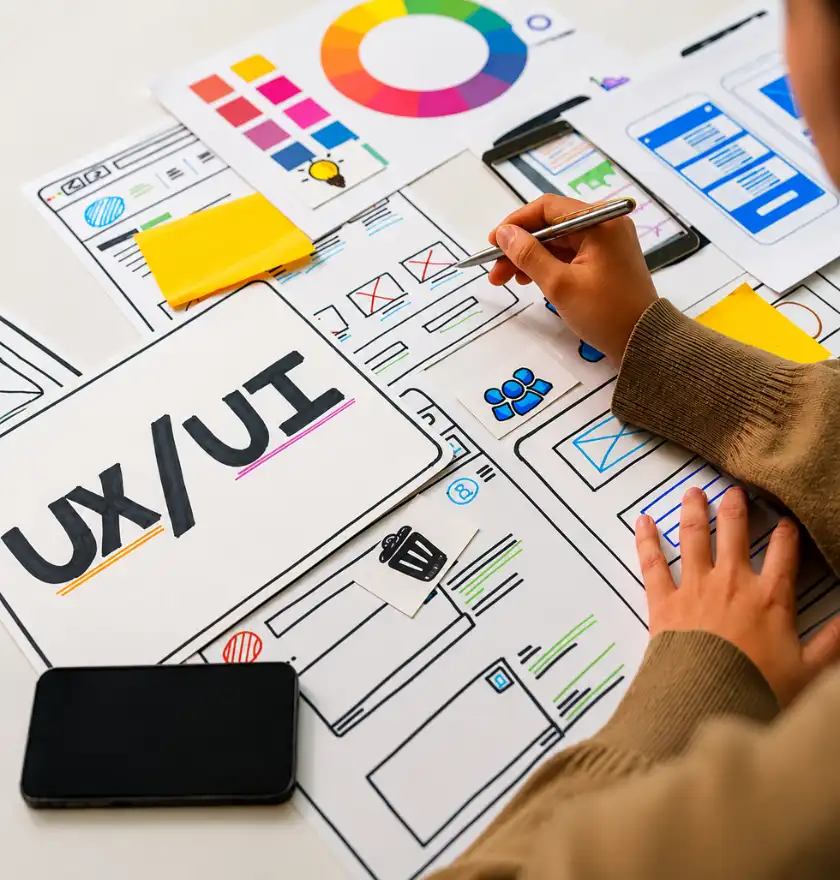
Wireframes are straightforward sketches that represent the location of headings, images, buttons, menus, and forms. They typically emphasize structure, not colors and specific visual design.
So why not just dive into the final design? Because it is easier to change a basic wireframe than a full interface. Wireframing helps designers detect any layout and navigation issues early in the process.
Step 5: UI Design
After the structure has been worked out, the designers start to put together the visual interface. This involves the choice of colors, fonts, icons, pictures, spacing, buttons, and other graphics.
It's not just about creating a pretty website. All visual elements should contribute to clarity, consistency, and usability.
An excellent UI ought to both make the user's way simple and comfortable and convey the brand.
Step 6: Prototyping
Prototyping is the next step. A prototype is a working model of the design that the user or stakeholders can interact with and get an insight into how the product will feel.
Unlike static screens, users can click buttons, navigate to other pages, and interact with the screens in a different way.
Would you prefer finding a navigation issue before or after the site is developed? Obviously, it's better to discover it early and save time, effort, and development costs. Hence, prototypes are crucial in the UI/UX designing process.
Step 7: Usability Testing
A design might be ideal to the designer and not to the user. That's where usability testing comes into play.
Real or representative users perform certain tasks while using the prototype. Designers watch and note where users are having difficulty, where they are having no trouble at all, and where they need improvement.
The feedback is then fed into the design to be adjusted. In other cases, a change in the layout of buttons or their label or even navigation can mean the difference between user satisfaction and dissatisfaction.
Step 8: Development and launch
After testing and fine-tuning, the design goes into the development phase. Once agreed upon, the UI/UX designs are converted into a functional website or application by the developers.
Designers collaborate with developers to help create a product that can replicate the experience for the users from the different devices and screen sizes. The product is tested prior to launch for usability, responsiveness, functionality, and design consistency.
Having a full UI UX design process is essential for a variety of reasons?
The structured UI UX design process minimises guessing and guides the development of digital products to actual user needs. UX research gives direction, wireframing creates a clear structure, prototyping brings ideas to life and usability testing helps to find potential problems before launch. Together, these can help businesses to develop websites that are more intuitive, effective, and user-friendly. In the end, a sound design process allows for the design of each part of a website to have a purpose other than just looking good.
A decade with codes and designs
Seeking a team with design and development expertise? Brands N' Codes is one of the best web development companies in Kozhikode, which makes web development professional and user-friendly. A good website is more than just aesthetic pictures, it takes thought, organization, user-friendliness and constant improvement. Therefore, before embarking on another website project, ask yourself: Does the design serve beauty or does it serve a purpose for the folks that use it? The objective of the best UI/UX process is to achieve both, that is, to make digital experiences look great and have a simple, useful and easy-to-navigate functionality.